Settings Level: Difference between revisions
Jump to navigation
Jump to search
(Created page with "== Settings Level == 400px|right Most of MrMC's global settings can be configured via the GUI (Graphical User Interface) under Settings (labeled "System...") |
No edit summary |
||
| Line 1: | Line 1: | ||
== Settings Level == | == Settings Level == | ||
[[File: | <tabber> | ||
Ariana Skin= | |||
[[File:settings_ariana.png|400px|right]] | |||
Most of MrMC's global settings can be configured via the GUI (Graphical User Interface) under Settings (labeled "System" under the default skin). | Most of MrMC's global settings can be configured via the GUI (Graphical User Interface) under Settings (labeled "System" under the default skin). | ||
| Line 6: | Line 8: | ||
{{-}} | {{-}} | ||
{{note|[[File: | {{note|[[File:settings_level_ariana.png|400px|right]] | ||
There are tiered settings levels. Each mode unlocks more settings, and is available by selecting the "Settings level" button, which will also display the currently used level. | There are tiered settings levels. Each mode unlocks more settings, and is available by selecting the "Settings level" button, which will also display the currently used level. | ||
{{-}}}} | {{-}}}} | ||
|-| | |||
Opacity Skin= | |||
[[File:settings_opacity.png|400px|right]] | |||
Most of MrMC's global settings can be configured via the GUI (Graphical User Interface) under Settings (labeled "System" under the default skin). | |||
{{-}} | |||
{{note|[[File:settings_level_opacity.png|400px|right]] | |||
There are tiered settings levels. Each mode unlocks more settings, and is available by selecting the "Settings level" button, which will also display the currently used level. | |||
{{-}}}} | |||
</tabber> | |||

Latest revision as of 11:50, 25 February 2019
Settings Level

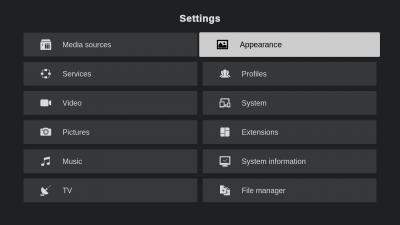
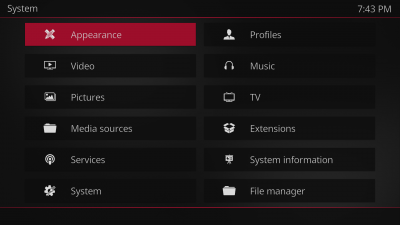
Most of MrMC's global settings can be configured via the GUI (Graphical User Interface) under Settings (labeled "System" under the default skin).
Note: 

There are tiered settings levels. Each mode unlocks more settings, and is available by selecting the "Settings level" button, which will also display the currently used level.

Most of MrMC's global settings can be configured via the GUI (Graphical User Interface) under Settings (labeled "System" under the default skin).
Note: 

There are tiered settings levels. Each mode unlocks more settings, and is available by selecting the "Settings level" button, which will also display the currently used level.